
Historic
Older content from the previous site.

Get answers to common questions about e-discovery and business continuity practices within Student Affairs at Texas A&M. This resource helps staff understand data retention, legal holds, and how technology supports uninterrupted operations during unexpected events.

Discover how to create and manage polls, surveys, and quizzes using Microsoft Forms—integrated with Teams, Outlook, and more. Explore quick-start guides, Microsoft Learning tutorials, and LinkedIn Learning courses tailored for Texas A&M users.

Technology Services – Student Affairs ensures that student-facing services remain accessible 24/7, even after staff have gone home. With over 70 custom and vendor-supported applications hosted on secure servers, the team keeps operations running smoothly around the clock.

Texas A&M is transitioning from TouchNet to Flywire for e-commerce payments, with full migration expected by the end of 2021. Merchants must reapply to set up their Flywire Mall stores and explore supported payment gateways like PayPal Payflow Pro and Authorize.net.
KeePass is a secure password manager recommended by Technology Services – Student Affairs to help users manage and protect their credentials. Available through the Software Center, KeePass encrypts your login data and simplifies password management in response to updated Duo authentication policies.

Microsoft Word is more than just a writing tool—it offers features like document outlines, mail merge, and macros to boost productivity. Explore quick-start guides, Microsoft support videos, and LinkedIn Learning courses curated by Technology Services – Student Affairs to help you master Word at your own pace.

Microsoft Excel is a powerful tool for data analysis, chart creation, and automation through macros and pivot tables. Texas A&M’s Technology Services – Student Affairs offers quick-start guides, Microsoft support videos, and LinkedIn Learning courses to help users master Excel at their own pace.

Microsoft Visio helps you create flowcharts, decision trees, and data-connected diagrams with ease. Texas A&M’s Technology Services – Student Affairs offers quick-start buttons, Microsoft support videos, and LinkedIn Learning courses to help users master Visio at their own pace.

Microsoft PowerPoint offers more than just slide creation—it enables impactful presentations through animations, accessibility features, and live audience interaction. Texas A&M’s Technology Services – Student Affairs provides branded templates, Microsoft support videos, and LinkedIn Learning courses to help users master PowerPoint at their own pace.
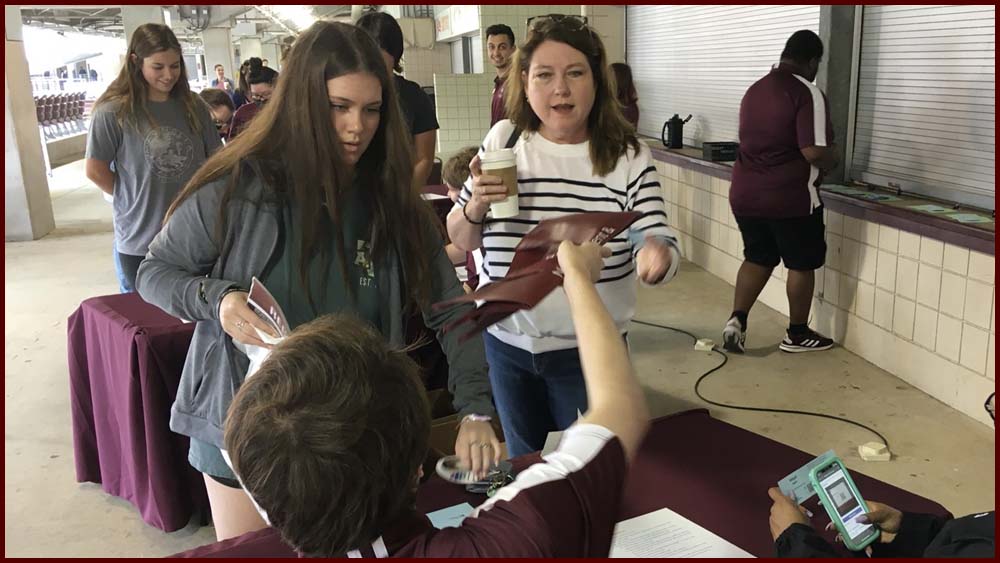
Faced with the challenge of safely hosting 27,000 students and families for in-person New Student Conferences, NSFP partnered with Technology Services – Student Affairs to develop a custom session selection system. By decoding the problem and bypassing off-the-shelf solutions, the team created a scalable, AIS-integrated platform in under a month to manage capacity and streamline check-ins.