Vanity Email Conversion and Schedule
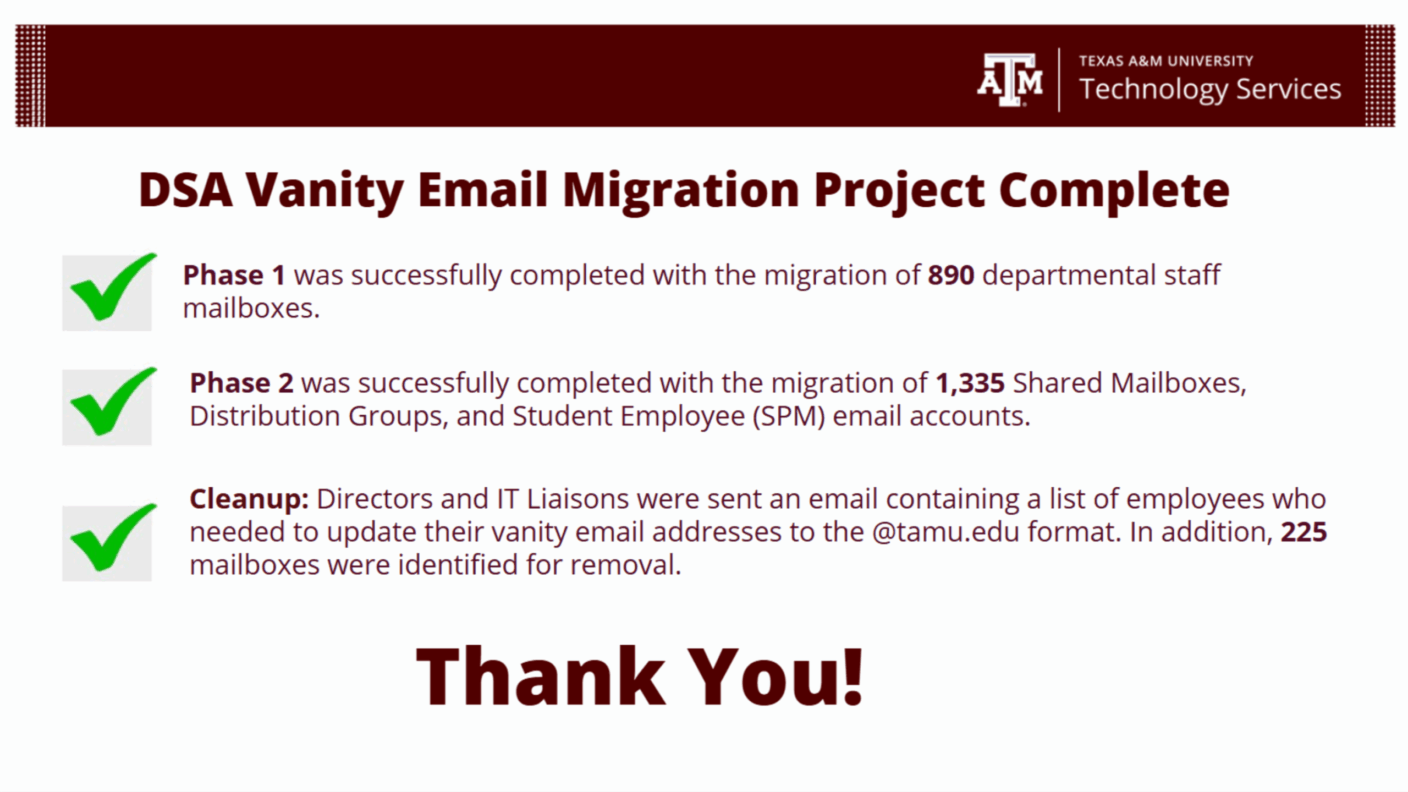
Texas A&M University Technology Services has successfully streamlined email systems across the Division of Student Affairs. The initiative standardized vanity email addresses into a unified format, improving consistency and efficiency for staff, student employees, and shared mailboxes. This transformation, completed in October 2025, followed a structured schedule and phased approach to ensure a smooth transition across all units.
Overview
We created a timeline to guide our transition from vanity email addresses to standardized formats across the Division of Student Affairs. Between January and September 2025, we moved through phases covering staff, student employees, and shared mailboxes to streamline our email system.
Introduction
Howdy!
We would like to inform you of upcoming changes to email addressing and delivery. We will soon be changing Sent From email addresses to reflect [email protected] instead of vanity email addresses (e.g., [email protected]).
What is Vanity Email Address?
An email such as [email protected] where the email address is set up based on the following nomenclature: [email protected].
What is Non-Vanity Email Address?
An email such as [email protected] where the email address is set up based on the following nomenclature: [email protected].
Why are we moving away from Vanity Email Addresses?
This is an initiative across Technology Services that promotes alignment with university standards and addresses technical challenges, such as scripting issues.
How will this impact me?
You will not be impacted. Vanity emails will continue to function as usual after the conversion. Our process will change your “Sent From” email to your non-vanity address.
Student employee email boxes and shared email boxes will be addressed at a later date.
What should I do?
The Service Desk will notify each department about the vanity emails that will be converted. Once this information is received, each department should update all communication platforms—such as publications, websites, and email signatures—to replace the vanity email addresses with the new non-vanity email addresses.
Conversion Schedule
| Tentative Conversion Schedule | What To Expect |
|---|---|
| Week of January 20th, 2025 | An email will be sent to everyone in the division to announce this conversion. |
| Week of January 27th, 2025 | Each director and IT liaison will receive an email containing a list of vanity email addresses within their department, along with the corresponding non-vanity email addresses they will be converted to. |
| Week of February 3rd, 2025 | We will collaborate with the Exchange team to complete the conversions and initiate the process of planning and converting shared mailboxes, distribution groups, and resource group vanity email addresses to non-vanity email addresses. |
Timeline
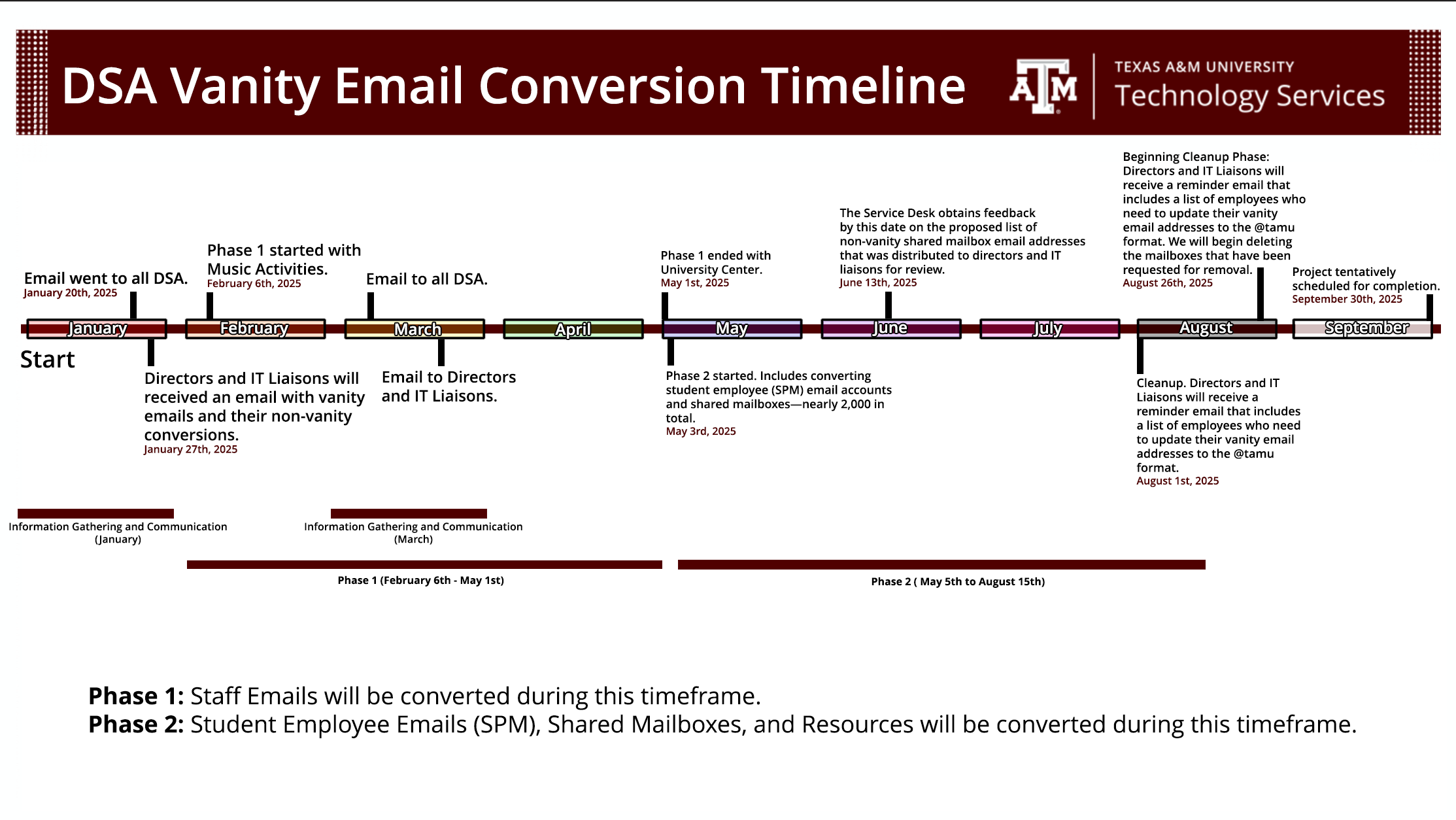
📧 DSA Vanity Email Conversion Timeline Texas A&M University Technology Services outlines the phased transition from vanity email addresses to standardized formats. Key milestones span from January to September 2023, covering staff, student employees, and shared mailboxes.
📅 Key Dates & Milestones
- Jan 20, 2023: Initial email sent to all DSA.
- Jan 27, 2023: Directors and IT Liaisons received conversion details.
- Feb 6 – May 1, 2023 (Phase I): Staff email conversions began with Music Activities and ended with University Center.
- May 3 – Aug 2023 (Phase II): Conversion of student employee (SPM) accounts and shared mailboxes (~4,000 total).
- June 15, 2023: Deadline for feedback on proposed non-vanity shared mailbox addresses.
- August 2023: Cleanup phase begins—reminder emails sent, mailbox deletions initiated.
- September 2023: Tentative project completion.
🧭 Phases Overview
- Phase I (Feb–May): Staff email conversions.
- Phase II (May–Aug): Student employee emails, shared mailboxes, and resources.
Conversion Dates
| Scheduled Date | Department Converted |
|---|---|
| April 15th, 2024 | UHS Counseling |
| April 15th, 2024 | UHS Medical |
| February 6th, 2025 | Music Activities |
| February 6th, 2025 | Student Affairs Planning Assessment and Research |
| February 6th, 2025 | University Art Galleries |
| April 15th, 2025 | Student Conduct |
| April 15th, 2025 | Recreational Sports |
| April 17th, 2025 | Office of the Vice President |
| April 17th, 2025 | Don & Ellie Knause VRSC |
| April 17th, 2025 | Student Activities |
| April 22nd, 2025 | Disability Resources |
| April 22nd, 2025 | Student Life |
| April 24th, 2025 | Multicultural Services |
| April 24th, 2025 | Residence Life |
| April 29th, 2025 | Corps of Cadets |
| April 29th, 2025 | Memorial Student Center |
| May 1st, 2025 | University Center and Special Events |
F.A.Q.
| Frequently Asked Questions |
|---|
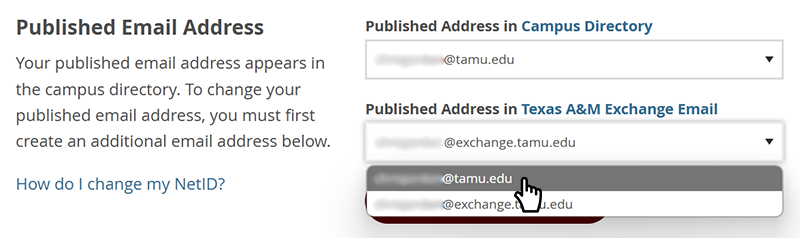
| Q: How do I change my Published Address in Texas A&M exchange? A: Please follow the steps listed below:
|
| Q: Am I still able to change my email alias without any issues, and if so, how can I make that change? A: Yes, you can still change your email address alias without worrying about it conflicting with the conversion. To change your alias:
All email sent to your published and additional email addresses will be sent to the same mailbox designated in your forwarding settings. |
| Q: How do I change the email address that appears to recipients? A: Yes, you are still able to change your alias for your email address without the worry of it conflicting with the conversion. To change your alias:
|
| Q: What will I need to do on my end to ensure my conversion is successful? A: No action from you will be required for this conversion. Everything will be handled by us in the background. |
| Q: Once the conversion is complete, what should I do? A: Once the conversion has been completed, each department should update all communication platforms, such as publications, websites, and email signatures, to replace the vanity email addresses with the new non-vanity email addresses. |