
Historic
Older content from the previous site.

The Division of Student Affairs (DSA) will be transitioning all customers to logging into their DSA managed device with their Auth/NetID accounts. This project also includes additional “User Experience” changes pertaining to the user profile, including desktop background, Windows themes, pinned shortcuts, etc. Additional changes will include moving all user home drive contents to Microsoft OneDrive, and changes to Remote Access.
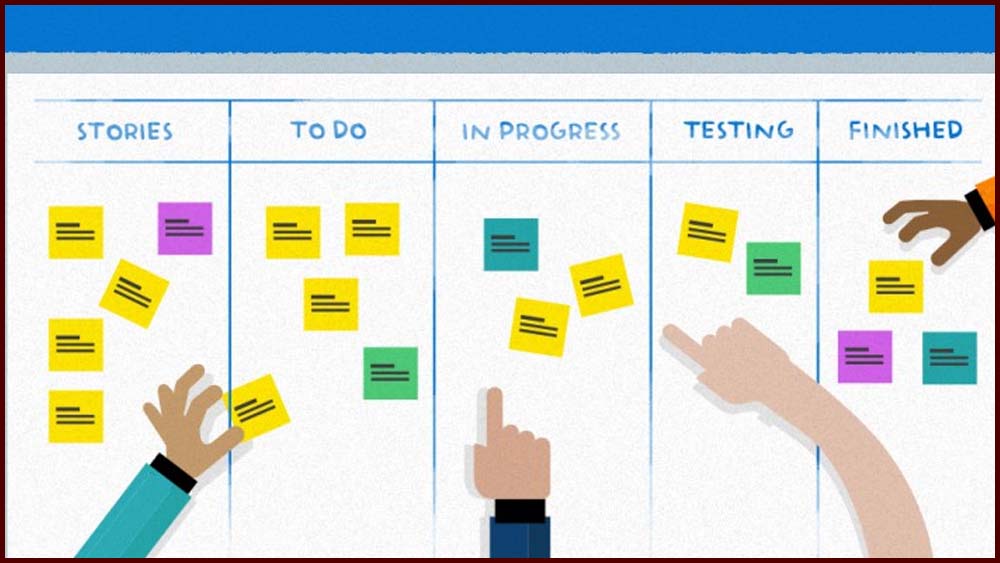
Curious about what “Scrum” really means in a tech setting? Discover how Texas A&M is embracing Agile practices and demystifying buzzwords like “Product Owner” and “Sprint”.

Texas A&M University provides Adobe Acrobat and Creative Cloud licenses for up to two devices per user, available to full-time and part-time employees at the main campus, the Texas Engineering Experiment Station, and the School of Dentistry. Students and student workers are not included in this licensing but can access Adobe Creative Cloud applications using their NetID at campus computer labs.

Ever held the door open for someone you didn’t recognize? This article explores how that simple act of kindness could compromise campus security—and what you can do to prevent it.

The Division of IT at Texas A&M offers a suite of cloud-based services to support the university community’s academic and administrative needs. These services are designed to enhance collaboration, data storage, and application access across departments and devices.

Microsoft Planner is a visual task management app that simplifies organizing events, customer support, content publishing, and small projects. It integrates seamlessly with Microsoft Teams and includes curated training resources like LinkedIn Learning to help users master its features.

Big changes are underway at Texas A&M’s Division of IT—discover how a fresh digital home is streamlining access to tech resources and support. Whether you're a student, staff, or faculty member, this new hub is designed to make your tech life easier and more connected.

Docking stations offer a seamless bridge between portable laptops and stationary desktop setups, enhancing productivity through expanded screen real estate and peripheral connectivity. Technology Services – Student Affairs supports models like the HP Thunderbolt Dock 120W Gen 2 and Lenovo ThinkPad Thunderbolt 3 Workstation Dock, with setup guides and troubleshooting resources available for each.

For 30 years, the plaza outside the Sanders Corps of Cadets Center has been paved with nearly 13,500 inscribed bricks, each representing a unique story. The “Brick By Brick” initiative now offers a digital solution to help visitors locate specific bricks and explore the personal histories they commemorate.

To ensure smooth updates, staff should log out but leave their DSA computers powered on over the weekend, as maintenance windows occur between midnight and noon on Saturdays and Sundays. The page also provides guidance for connecting to TAMU Wi-Fi, accessing office PCs remotely, and troubleshooting Always On VPN connectivity. [doit.tamu.edu]